A Simple Checklist of Questions to Ask Before Buying Business Software
Buying software looks easy. You see a demo, it looks good, and you pay. Then the problems start. Staff do not use it, data does not move across, or support stops answering. This checklist gives you the right questions to ask before you sign, so the software fits your business and keeps working after go-live.
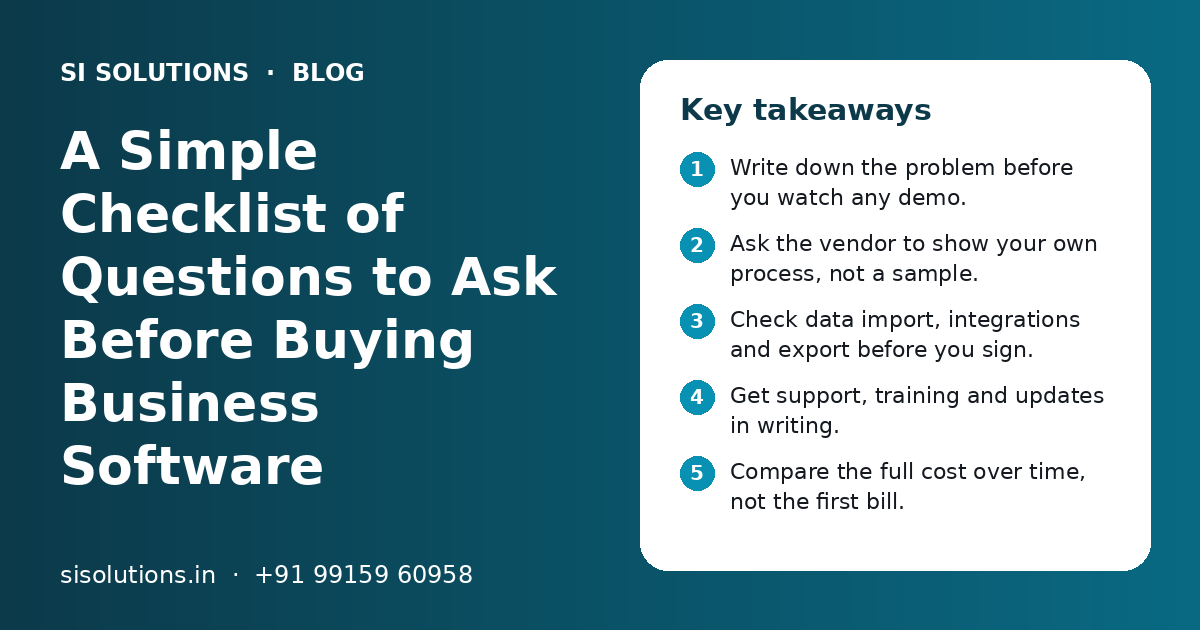
What questions should you ask before buying business software?
The key questions to ask before buying business software are: what problem it solves, whether it fits your current process, who will use it daily, how your old data moves in, what support and training you get, how your data is kept safe, what the full cost over time includes, and how you can exit if needed.
Key takeaways
- Write down the problem before you watch any demo.
- Ask the vendor to show your own process, not a sample.
- Check data import, integrations and export before you sign.
- Get support, training and updates in writing.
- Compare the full cost over time, not the first bill.
- Know how you can take your data and leave.
Why should you ask questions before buying business software?
Because most software problems start before the purchase, not after it. Asking the right questions before buying business software helps you avoid tools that look good in a demo but do not fit your daily work.
A wrong purchase costs more than money. Your team spends weeks learning a tool, then goes back to Excel and WhatsApp. Data gets split between old and new systems. You lose trust in software and delay the next decision.
Most of these problems can be found early. You only need to ask clear questions to three groups: yourself, your team and the vendor. This post gives you those questions in a simple order. You can print it or share it with your team before your next software demo.
What should you ask yourself first?
Ask what problem you want to solve, how you will know it is solved and who will own the software inside your business. If you cannot answer these, you are not ready to compare vendors.
- What exact problem do we want to fix? For example, missed leads, stock mismatch or late bills.
- How do we handle this work today, step by step?
- Which numbers will show the software is working?
- Who in our team will own the software after go-live?
- Who will use it every day, and on which devices?
- Is our process clear, or do we need to fix the process first?
- When do we need it live, and why that date?
Write the answers on one page. Share that page with every vendor. A good vendor will use it to show you a relevant demo. A weak vendor will ignore it and show the same standard demo they show everyone.
What questions should you ask about fit and features?
Ask the vendor to show how the software handles your real process, step by step, with your own example. Do not judge software by a list of features.
- Can you show our process in the demo, using our sample data?
- Which of our needs work out of the box, and which need changes?
- What changes are possible, and who makes them?
- Does it work in our language, or for staff who prefer Hindi or Punjabi?
- Does it work well on mobile for field or shop floor staff?
- Can it create GST-ready invoices and reports, if we need them?
- Can it send updates on WhatsApp or SMS to our customers?
- How many users, branches or warehouses can it handle as we grow?
Watch for vague answers like "yes, it can do that" with no demo. Ask them to show it. If a feature needs custom work, ask how long it takes and whether it stays working after software updates.
If you are looking at a sales tool, our CRM solutions page explains which features matter most. For stock, billing and purchase together, see our ERP solution page.
What should you ask about data, import and integration?
Ask how your old data will move in, which tools it connects with, and how you can export your data at any time. Data problems are the most common reason software projects get stuck.
Questions about your old data
- Who will move our existing data from Excel or old software?
- Is data import part of the scope or an extra charge?
- What happens to wrong or duplicate records during import?
- How many years of old data can be moved?
Questions about connections with other tools
- Does it connect with our accounting software, website or payment gateway?
- Is there an API, and is it included in our plan?
- Who fixes the connection if it breaks after an update?
If you use many tools, ask for a simple diagram of how data will flow between them. Our page on software integration solutions explains common ways to connect tools so your team does not type the same data twice.
Ready-made, SaaS or custom software: which questions change?
The questions you ask depend on the type of software. SaaS needs questions about plans and data control. Custom software needs questions about scope, ownership and long-term support.
| Type | Main question to ask | Watch out for |
|---|---|---|
| SaaS (monthly plan) | What is included in each plan, and how do prices change as users grow? | Key features locked in higher plans; limits on users or records |
| Ready software installed for you | Who updates it, and how often? | Old versions with no updates; support tied to one person |
| Modular software | Which modules are ready and which are built for us? | Unclear line between ready and custom work |
| Fully custom software | Who owns the source code, and what is the written scope? | Scope changes without written change requests; no documentation |
For many small businesses, a middle path works well. Tested modules are shaped around your process, with only the needed custom work added. Our business software solutions page explains this approach in more detail.
What should you ask about support, training and updates?
Ask who supports you after go-live, how fast they reply, how your team will be trained and how updates are handled. Support is where many vendors fall short.
- What are support hours, and how do we raise a problem?
- How quickly do you reply to urgent issues, such as billing being down?
- Is training included? For how many people and how many sessions?
- Do you give simple user guides or short training videos?
- Are updates and bug fixes included, or charged separately?
- What happens to support after the first year?
- Will we have one named contact person?
Ask for these answers in writing as part of the agreement. If you want to know what drives yearly support cost, our post on software AMC cost explains the main factors.
What should you ask about data security and backup?
Ask where your data is stored, who can see it, how often it is backed up and how quickly it can be restored. Your customer and sales data is one of your most valuable assets.
- Where is our data stored, and who at the vendor can access it?
- Can we set roles so staff see only what they need?
- How often is data backed up, and can we see a test restore?
- Is there a login history to see who changed what?
- Does it support two-step login for owners and admins?
- What happens to our data if we stop paying?
Do not accept "it is all safe" as an answer. Ask how. If backup is not clear, add a separate data backup solution to your plan. If the software runs on the cloud, our page on cloud solutions for small business covers what to check.
What should you ask about cost and contract terms?
Ask for the full cost over time, including setup, licences, add-ons, data import, training, support and changes. The first bill is rarely the full cost.
| Cost item | Question to ask |
|---|---|
| Setup | Is setup and configuration included in the price? |
| Users | How does cost change when we add users or branches? |
| Data import | Is moving old data included or extra? |
| Training | How many sessions are included? |
| Changes | How are new changes priced after go-live? |
| Support | What does support cost after the first year? |
| Taxes | Are quotes shown with or without GST? |
Also ask about the exit. Can you export all your data in a common format, such as Excel or CSV? Is there a lock-in period? Clear exit terms protect you if the software does not work out. At SI Solutions, you get a clear quote after a free call, with scope written down.
What mistakes should you avoid when buying software?
The most common mistakes are buying after one demo, skipping the team's input and ignoring data and support questions. Each one can turn a good tool into a failed project.
Do this
- Write the problem and process on one page first
- Involve two or three daily users in the demo
- Ask for a trial with your own data
- Get scope, support and exit terms in writing
- Plan training time before go-live
Avoid this
- Choosing only on the lowest price
- Buying many features you will never use
- Letting the vendor decide your process for you
- Going live without moving or cleaning old data
- Assuming staff will learn the tool on their own
One more tip: ask the vendor for a reference you can speak with, from a business similar to yours. Listen to how they talk about support, not just features.
How does SI Solutions help you choose and deploy software?
We start with a free call to understand your problem and process. Then we suggest a ready solution, a modular build or an integration, with clear scope, support terms and a written quote.
- 1
Understand the need
We learn your problem, process, users and the numbers you want to improve.
- 2
Suggest the right fit
We recommend a ready, modular or custom option and explain why.
- 3
Show a relevant demo
We show how your own process will work in the software.
- 4
Agree scope in writing
Features, data import, training, support and timeline are written down.
- 5
Deploy and train
We set up the software, move data and train your team.
- 6
Support after go-live
We fix issues, handle updates and help as your needs grow.
SI Solutions is powered by Shivah Web Tech, with 11+ years of work, a 25+ in-house team and 500+ projects, from our office in Mohali, Punjab. Our parent team is a Google Partner and MSME registered. Contact us to book a free call.
Related Pages
Software Solutions
Ready software modules for billing, stock, HR and more, adjusted for you.
ERP Solution
One system for sales, purchase, stock, accounts and staff.
CRM Solutions
A ready lead and sales CRM with WhatsApp, follow-ups and reports.
Integration Solutions
Connect website, CRM, billing, store and WhatsApp so data flows on its own.
Frequently Asked Questions
What is the most important question before buying business software?
The most important question is what exact problem the software must solve. If you cannot describe the problem and your current process in simple words, you cannot judge any vendor. Write it on one page, share it with every vendor and ask them to show how their software fixes that problem.
How many vendors should I compare before buying software?
Two or three vendors is usually enough for a small business. More than that makes the choice confusing. Give each one the same written needs and the same sample data. Compare how well each demo matches your process, the support terms and the full cost over time.
Should I take a free trial before buying software?
Yes, if the vendor offers one. Use the trial with your own data and real users, not just the owner. Try your most common daily tasks. Note where staff get stuck. A trial shows problems that a demo hides, such as slow screens or missing steps.
Is SaaS software better than custom software for a small business?
It depends on your process. SaaS is quick to start and works well if your process is standard. Custom or modular software fits better when your process is unique. Ask about plan limits for SaaS, and about code ownership, scope and support for custom work.
What should I ask a software vendor about my data?
Ask where the data is stored, who can access it, how often it is backed up and how fast it can be restored. Ask if you can export all your data in Excel or CSV at any time, and what happens to it if you stop the service.
How do I make sure my staff actually use the new software?
Involve a few daily users before you buy, so the tool fits their work. Plan proper training and give short guides. Name one internal owner who answers questions. Stop old parallel methods, like separate Excel sheets, after a set date so the team fully moves to the new system.
What hidden costs should I check before buying software?
Check costs for extra users, branches, add-on modules, data import, training, changes after go-live, integrations and support after the first year. Ask whether quotes include GST. Ask for all of these in writing so you can compare the full cost of each option over time.
Talk to our team today
Call or WhatsApp +91 99159 60958. We reply fast, Monday to Friday.