What Affects the Cost of a Software AMC for Your Business?
Buying software is only the start. Someone has to fix bugs, apply updates, keep backups and help your staff for years after go-live. That is what an AMC covers. This guide explains what changes the cost, so you can compare quotes fairly.
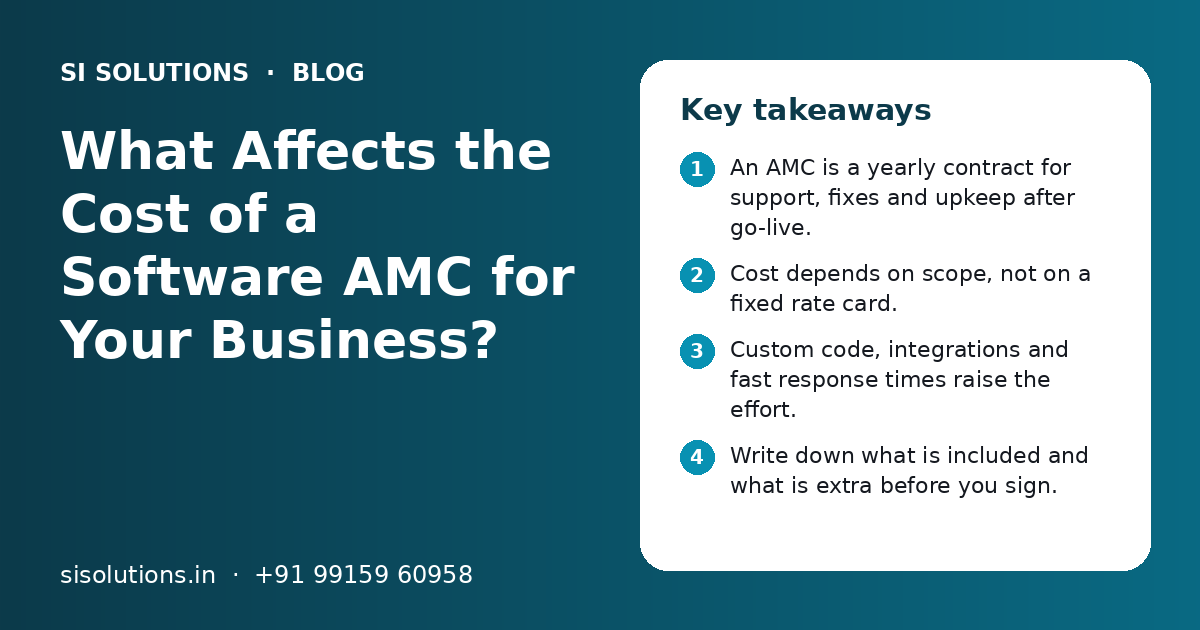
What affects the cost of a software AMC for a business?
Software AMC cost for business depends on how many users and modules you have, how custom the software is, who handles hosting and backups, how fast you need replies, whether updates and small changes are included, and how many outside tools are connected. You get a clear quote once the support scope is written down.
Key takeaways
- An AMC is a yearly contract for support, fixes and upkeep after go-live.
- Cost depends on scope, not on a fixed rate card.
- Custom code, integrations and fast response times raise the effort.
- Write down what is included and what is extra before you sign.
- Compare AMC quotes on the same scope, not only the final number.
- Plan the AMC at the time you buy the software, not after problems start.
What is a software AMC and why does it matter for cost?
A software AMC, or annual maintenance contract, is a yearly agreement where a provider keeps your software working, fixes problems and helps your team. Its cost depends on how much work that support will take, which changes from one business to another.
Most Indian businesses know AMCs from air conditioners, computers and printers. Software works the same way. A CRM, ERP, billing or inventory system needs regular care. Browsers change, phones update, GST rules change and staff forget how features work.
When you plan software, think of the AMC as part of the total cost of owning it. Our business software solutions page explains how we scope both the build and the support from the start.
What is included in a software AMC?
A typical software AMC includes bug fixes, security and version updates, backup checks, user help and a set number of hours for small changes. What is included varies, so always read the list.
| Item | Usually included | Often extra |
|---|---|---|
| Bug fixes in existing features | Yes | Rarely |
| Security patches and version updates | Yes | Major version upgrades may be extra |
| Backup checks and restore help | Often | Extra copies or longer storage |
| Help for users by phone, email or WhatsApp | Yes, within support hours | After-hours help |
| Small changes to reports or forms | A fixed number of hours | Work beyond those hours |
| New features or new modules | No | Quoted separately |
| Server or cloud hosting charges | Sometimes | Often billed on actuals |
| Third-party licence fees | No | Paid to the software company |
If a quote does not show this split clearly, ask for it in writing. Unclear lists are the main reason AMC bills cause arguments later.
What affects software AMC cost for a business?
The main factors are the size of the system, how custom it is, integrations, hosting, response time, update needs and the number of users who need help. Each one changes the hours the support team must keep ready for you.
1. Size and number of modules
A simple lead tracker has fewer places where things can break than a full ERP with sales, purchase, stock, accounts and HR. More modules mean more testing after each update.
2. Ready product or custom build
A ready product with light set-up is easier to support, because the base code is shared and tested by many users. Custom code built only for you needs a team that knows it well, which takes more effort.
3. Integrations with other tools
Each link to another system adds work. Common examples are Tally or other accounting software, payment gateways, WhatsApp, SMS, email, e-invoicing portals and marketplaces. When any of those tools change, the link may need fixing.
4. Hosting, backups and security
If the provider also manages the server or cloud account, backups, SSL and monitoring, the AMC covers more work. If your own IT team handles hosting, the AMC can be smaller.
5. Response time and support hours
Help during office hours costs less than a promise to respond within a short time, at night or on weekends. Decide which problems truly need fast replies.
6. Number of users and branches
More users and more locations usually mean more questions, more password resets and more training for new staff.
7. Rule changes and updates
Software that handles GST invoices, e-way bills, payroll or other compliance work may need changes when rules change. Ask whether these are part of the AMC or quoted each time.
AMC vs pay-per-call support: which is better?
An AMC is better for software your business uses every day, because you get planned upkeep and faster help. Pay-per-call support can suit small tools that rarely change and are not critical.
Annual maintenance contract
- Planned yearly cost that is easy to budget
- Regular updates and backup checks, not only fixes
- Agreed response times in writing
- The support team stays familiar with your system
Pay-per-call or hourly support
- You pay only when something breaks
- Can work for simple tools with few users
- No planned updates, so problems can build up
- Help may be slow when the provider is busy with other clients
Some businesses use a mixed model: a small AMC for upkeep and backups, with a bank of hours for changes. This keeps the base cost low while still giving quick help when needed.
How do you compare software AMC quotes fairly?
Write one support scope, send it to every provider and compare what each one covers. A low quote that leaves out backups, updates or user help is not cheaper in practice.
- 1
List your systems
Write down every module, integration, user group and branch that needs support.
- 2
Mark what is critical
Decide which problems stop business, such as billing down, and which can wait a day.
- 3
Set response needs
Agree support hours and how fast critical and normal issues need a reply.
- 4
Ask for an itemised quote
Request a clear list of what is included, what is extra and how extra work is charged.
- 5
Check who does the work
Ask if the support team is in-house and whether they know your software.
- 6
Read the exit terms
Make sure you can get your code, data and access details if you change provider.
If your software was built by one company and you now want another to support it, plan a short handover review first. The new team needs time to study the code before they can quote with confidence.
What questions should you ask before signing a software AMC?
Ask about scope, response times, backups, updates, change hours and data ownership. Clear written answers protect you if something goes wrong.
- What exactly is covered, and what is charged separately?
- What are the support hours, and is there help for urgent issues outside them?
- How do we raise a ticket: phone, email, WhatsApp or a helpdesk?
- How fast will you respond to a critical issue and to a normal one?
- How often are backups taken, where are they kept and how fast can you restore them?
- How many hours of small changes are included each month or year?
- Are GST or other rule-related changes included?
- Who owns the code, data, domain and server accounts?
- What happens at the end of the contract if we do not renew?
A ticket system makes support easier to track for both sides. Our helpdesk ticketing system page shows how this works.
What mistakes push up software support costs?
Support costs rise when there is no written scope, when backups are skipped, and when many small changes are made without planning. Most of these can be avoided at the start.
- Buying software with no AMC plan, then paying high rates for urgent fixes
- Keeping the code or server account only in the provider's name
- Asking for many small changes by phone with no list or priority
- Skipping backup checks until data is lost
- Adding new integrations without telling the support team
- Not training new staff, so the same basic questions come up again
- Choosing the lowest quote without checking what it leaves out
Which software systems usually need an AMC?
Any system that your team uses daily, holds important data or links to other tools should have an AMC. The table below shows common examples and what support usually focuses on.
| System | Main support focus |
|---|---|
| CRM and lead management | User access, reports, WhatsApp and email links |
| ERP and inventory | Stock accuracy, accounting links, GST invoices |
| POS and billing | Fast fixes during business hours, printer and payment links |
| School, clinic or HR software | Data safety, user help, rule changes |
| Ecommerce and payment flows | Payment gateway links, order sync, security updates |
| Websites and portals | Security updates, speed, uptime checks |
We offer support plans with our CRM solutions, ERP solution for small business and software integration solutions. For websites, see website maintenance services.
How does SI Solutions price and run software AMCs?
We price each AMC from a written scope: your systems, users, integrations, hosting, response needs and change hours. You get a clear quote after a free call, with included and extra items listed separately.
Scope review
We list your modules, links, users and critical tasks.
Clear support plan
Support hours, response times, backups and change hours in writing.
Ticket tracking
Every issue is logged, so you can see what was fixed and when.
Regular check-ins
We review open issues, updates and backup checks with you.
SI Solutions is powered by Shivah Web Tech, with 11+ years of work, a 25+ member in-house team and 500+ projects. Support runs Mon–Fri 9:30–6:30 IST, with 24x7 emergency support for urgent issues. If you are moving systems to the cloud as well, see cloud solutions for small business, or book a free call to discuss your AMC.
Related Pages
Website Maintenance
Monthly updates, backups, security checks and small changes for your website.
Software Solutions
Ready software modules for billing, stock, HR and more, adjusted for you.
Data Backup
Automatic, tested backups for your files, email, websites and servers.
Helpdesk Ticketing
One place for every customer complaint, with tickets, owners and response times.
Frequently Asked Questions
What does AMC mean in software?
AMC stands for annual maintenance contract. In software, it is a yearly agreement where a provider keeps your system running, fixes bugs, applies updates, checks backups and helps your users. It is usually renewed every year. The exact items covered depend on the contract, so always ask for a written list of what is included and what is extra.
Is a software AMC worth it for a small business?
It is usually worth it for software your business depends on every day, such as billing, CRM or inventory. Without an AMC, you may wait longer for help and pay higher rates for urgent fixes. For small tools that rarely change and are not critical, pay-per-call support can be enough. Decide based on how much a day of downtime would hurt.
Why is my software AMC quote higher than expected?
The quote may include more than you think, such as hosting, backups, fast response times or change hours. It may also reflect custom code, many integrations or many users. Ask the provider to show each item separately. You can then remove items you do not need, or move some work, such as hosting, to your own team.
Does a software AMC include new features?
Usually not. An AMC covers keeping the existing system working: fixes, updates, backups and user help. New features, new modules or big changes are normally quoted separately. Some contracts include a small number of hours for minor changes, such as a new report field. Check this point clearly before you sign.
Can another company take over the AMC for my existing software?
Yes, in most cases, if you have access to the source code, server or cloud account, database and documentation. The new provider will first review the system to understand how it was built. If the old provider holds these in their own name, ask for a proper handover before the contract ends.
How often should a software AMC be reviewed?
Review it at least once a year before renewal, and whenever your business changes, such as new branches, more users or new integrations. Look at how many issues were raised, how fast they were fixed and which change hours were used. This helps you adjust the scope so you pay for what you really need.
Is cloud software support different from on-premise support?
Yes. With cloud software, the provider often handles servers, updates and backups as part of the plan, so your AMC may focus on user help and custom changes. With on-premise software, someone must also look after your local server, its backups and security. That extra work changes the support scope and the cost.
What should happen when the AMC ends?
You should be able to renew, change the scope or move to another provider without losing data. The contract should say that you own your data and, for custom work, your code. Ask for a final backup, a list of all accounts and passwords, and short handover notes before the contract ends.
Talk to our team today
Call or WhatsApp +91 99159 60958. We reply fast, Monday to Friday.