Quick answer
What affects the cost of an ecommerce website?
The main ecommerce website cost factors are the platform you choose, the number of products and variants, payment and shipping set-up, GST invoicing, design and custom features, apps and integrations, and the running costs after launch such as subscriptions, gateway fees and maintenance. A clear written scope is the best way to get an accurate quote.
Key takeaways
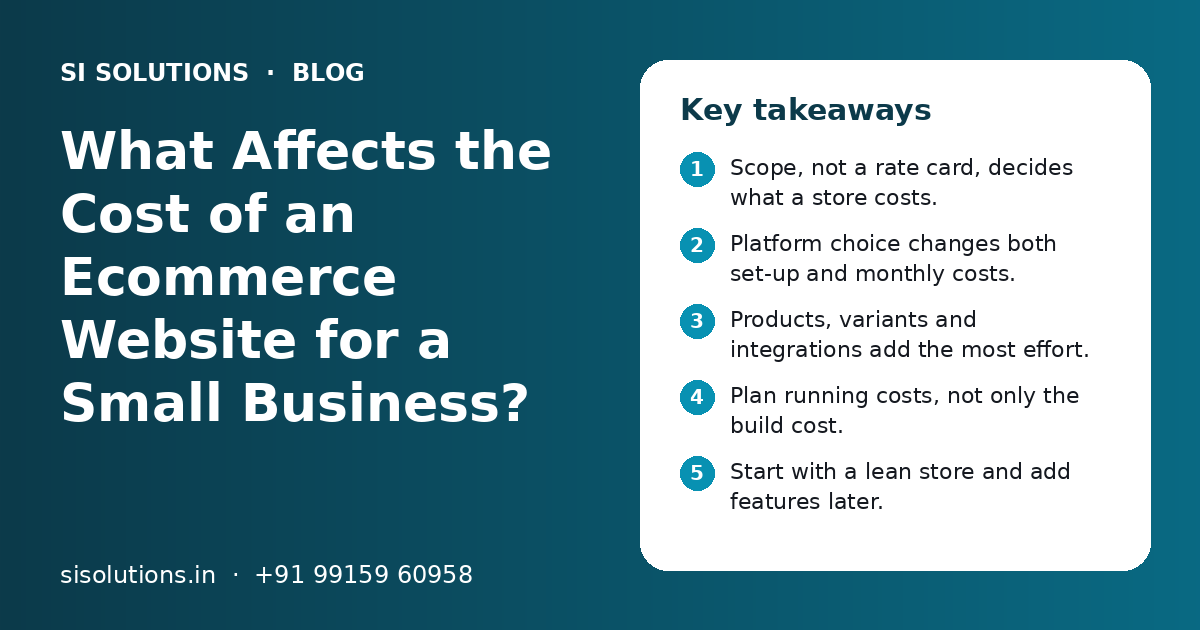
- Scope, not a rate card, decides what a store costs.
- Platform choice changes both set-up and monthly costs.
- Products, variants and integrations add the most effort.
- Plan running costs, not only the build cost.
- Start with a lean store and add features later.
- Compare quotes on the same written scope.
What decides the cost of an ecommerce website?
The cost of an ecommerce website depends on how much work it takes to build and run your store. That work changes with your platform, products, features and the help you need after launch.
A small shop selling 30 handmade items needs much less work than a brand selling thousands of products with sizes, colours and wholesale prices. Both are "ecommerce websites", but the effort is very different. That is why fixed price lists are rarely useful.
It helps to think of ecommerce website cost factors in two groups. The first group is the one-time build. The second group is the monthly and yearly running cost. Many owners plan only the first group and get surprised by the second.
How does the platform you choose change the cost?
The platform sets your base cost. Hosted platforms like Shopify have a monthly fee but less set-up work. WooCommerce runs on WordPress with your own hosting. A custom-built store costs the most to build and maintain.
| Factor | Shopify | WooCommerce | Custom build |
|---|---|---|---|
| Set-up effort | Lower | Medium | Highest |
| Monthly platform fee | Yes, a plan subscription | No platform fee, but you pay for hosting | Hosting and server costs |
| Hosting and security | Handled by the platform | Your responsibility | Your responsibility |
| Paid apps or plugins | Common for extra features | Common for extra features | Features are built in code |
| Updates and upkeep | Light | Regular plugin and core updates | Ongoing developer work |
| Best for | Most small stores that want a fast start | Stores that want full control on WordPress | Very specific needs a ready platform cannot meet |
For most small Indian businesses, a ready platform is enough. A custom build makes sense only when your process is truly unusual. Our ecommerce solutions page compares Shopify and WooCommerce for Indian stores in more detail. If you choose WooCommerce, the hosting choice also matters, as explained in our post on shared hosting vs cloud hosting.
How do products and catalogue size affect ecommerce website cost?
More products, more variants and more product details mean more set-up work. The way products are added, by hand or by bulk import, also changes the effort.
Number of products and variants
Each product needs a title, photos, price, description, weight and stock. A T-shirt in five sizes and four colours is twenty variants to set up and track. Clothing, footwear and spare parts stores often have far more variants than gift or food stores.
Product content and photos
If you already have good photos and written descriptions, upload is quick. If they need to be written, edited or shot, that is extra work. Ask every provider whether product upload is included, and for how many products.
Stock from another system
If your stock lives in billing or inventory software, you may want it to update the store on its own. A sync like this takes more set-up than typing stock by hand. Our inventory solution page explains how stock can be kept in one place across shop and website.
How do payments, shipping and GST features affect the cost?
Payments, shipping and GST invoicing are needed in almost every Indian store, but how you set them up changes the cost. Simple set-ups use ready plugins. Special rules need more work.
Payments
Most stores take UPI, cards, net banking and cash on delivery. Adding a payment gateway through a ready plugin is quick. You also need KYC with the payment provider. The provider charges a fee on each transaction, which is a running cost, not a build cost. Our payment gateway solution page explains the set-up steps.
Shipping
Flat shipping rates are simple. Rates by weight, pin code checks, cash on delivery limits and courier label printing take more set-up. A link with a shipping aggregator or courier company is another integration to set up and test.
GST invoices and B2B
Basic GST invoices are available through apps or plugins. Extra needs add work, such as different tax rates across products, invoices with the buyer's GSTIN for business customers, or a separate wholesale price list.
Need help with your project?
Talk to the SI Solutions team. Free first call, simple advice, clear quote.
How much do design and custom features add to the cost?
A ready theme with your logo, colours and banners costs less than a fully custom design. Every feature beyond normal shopping, such as a product builder or a booking step, adds design, build and testing time.
Usually lower effort
- A ready theme set up with your brand colours and logo
- Standard pages: home, shop, product, cart, checkout, policies
- Ready apps for reviews, WhatsApp chat and coupons
- One language and one currency
Usually higher effort
- A fully custom design made from scratch
- Product customisers, bundles or subscription orders
- Wholesale login with separate prices
- Several languages, such as Hindi and English, or many currencies
Ask yourself which features you need on launch day and which can wait. A lean first version lets you start selling sooner and learn what customers actually use.
What are the running costs of an ecommerce website after launch?
After launch, you pay for the platform or hosting, the domain, paid apps, payment gateway fees, messages and maintenance. Add these to your budget before you decide.
| Running cost | How it is usually charged | What changes it |
|---|---|---|
| Platform plan or hosting | Monthly or yearly | Plan level, traffic and storage |
| Domain name | Yearly renewal | The domain extension you choose |
| Paid apps or plugins | Monthly or yearly per app | How many extra features you add |
| Payment gateway fee | A share of each online payment | Payment method and your agreement with the provider |
| Shipping and COD charges | Per order | Weight, distance, courier and COD use |
| WhatsApp, SMS and email messages | Per message or by plan | How many order alerts and campaigns you send |
| Maintenance and support | Monthly, yearly or per request | Updates, backups, fixes and changes you need |
Maintenance is often forgotten. Plugins need updates, themes change and checkout must be tested after each change. Our website maintenance solution page lists what regular upkeep covers. For support contracts on wider business software, see our post on software AMC cost factors.
How do integrations and marketing set-up affect the cost?
Every outside tool linked to your store adds set-up and testing work. Common links are billing software, inventory, CRM, WhatsApp, marketplaces and analytics.
- Billing or accounting software, so orders become GST invoices on their own
- Inventory or POS, so shop and website stock stay the same
- WhatsApp order alerts and abandoned cart reminders
- Google Analytics, Search Console and ad tracking pixels
- Marketplace listings, if you also sell on other platforms
Ready connectors cost less to set up than custom links. If a connector does not exist, a custom link needs more work and more upkeep. Our integration solutions page explains the options. For order alerts and repeat sales on WhatsApp, see our WhatsApp marketing solution.
How can you keep ecommerce website cost under control?
Write a clear scope, start with only the features you need, choose a ready platform where possible and plan running costs from day one. This keeps both build and monthly costs in check.
- 1
List what you sell
Count products and variants, and note which have photos and descriptions ready.
- 2
Mark must-have features
Separate launch-day needs from nice-to-have features for later.
- 3
Choose the platform
Pick based on your team, budget and control needs, not on trends.
- 4
Write down payments and shipping
Note payment methods, COD rules, courier and shipping rates.
- 5
List integrations
Write every tool the store must link with, such as billing or WhatsApp.
- 6
Ask for an itemised quote
Ask each provider to show build, apps, running costs and support separately.
Mistakes that raise the cost later
- Adding many paid apps without checking their monthly fees
- Choosing a custom build when a ready platform would do
- Starting with no written scope, so changes keep coming
- Keeping the domain or store account in the provider's name
- Skipping test orders for payments, shipping and invoices
- Leaving out maintenance until something breaks
How does SI Solutions quote an ecommerce website?
We quote each store from a written scope: your products, platform, payments, shipping, integrations and support needs. You get a clear quote after a free call, with build and running costs shown separately.
Scope call
We list your products, features and must-have links.
Platform advice
We suggest Shopify, WooCommerce or another fit, with reasons.
Itemised quote
Set-up, apps, running costs and support listed one by one.
Launch and support
Test orders, training and an upkeep plan after go-live.
SI Solutions is backed by the Shivah Web Tech team, with 11+ years of experience and 500+ projects, and a Shopify Partner parent team. If you only need a business website without online sales, see our web solutions. To plan your store, book a free call.
Frequently Asked Questions
How much does an ecommerce website cost in India?
There is no single price. The cost depends on the platform, the number of products, payment and shipping set-up, design, integrations and the support you need. A small store with a ready theme costs far less than a large custom store. The best way to know is to write down your needs and ask for an itemised quote.
Is Shopify cheaper than WooCommerce for a small business?
It depends on how you count. Shopify usually needs less set-up and handles hosting and security, but has a monthly plan fee and often paid apps. WooCommerce has no platform fee but needs hosting, updates and more upkeep. Compare the total yearly cost, including support, not just the first payment.
What are the hidden costs of running an online store?
Common costs that owners miss are paid app or plugin fees, payment gateway charges on each order, shipping and cash on delivery charges, WhatsApp or SMS message costs, domain renewal and regular maintenance. None of these are hidden if you list them before launch. Ask your provider to show them separately in the quote.
Can I start with a small ecommerce website and grow later?
Yes, and it is often the smart way. Launch with your main products, simple payments and shipping, and the pages customers need. Watch what sells and what customers ask for. Then add features such as wholesale pricing, more integrations or new languages. A ready platform makes this growth easier.
Does the payment gateway fee add to the website cost?
The gateway fee is a running cost, not part of the build. The payment provider takes a small share of each online payment, based on the payment method and your agreement. Setting up the gateway on the website is a one-time task. Check the provider's current charges on its official website before you choose.
Why do two ecommerce website quotes differ so much?
Quotes often differ because they cover different things. One may include product upload, apps, integrations and support, while another covers only the theme set-up. Send the same written scope to each provider and ask for an itemised quote. Then compare line by line, not only the final number.
Do I need maintenance for an ecommerce website?
Yes. An online store handles payments and customer data, so it needs updates, backups, security checks and regular test orders. On WooCommerce, you or your provider must update WordPress, the theme and plugins. On Shopify, the platform handles core updates, but apps, theme changes and checkout still need checking.