Quick answer
What should software for packers and movers include?
Software for packers and movers should include lead capture from calls, website and portals, survey booking with an item list, quick quotations, job booking with advance payment, crew and truck scheduling, shipment status tracking, GST billing, WhatsApp updates to customers, damage claim records and reports on leads, jobs and pending payments.
Key takeaways
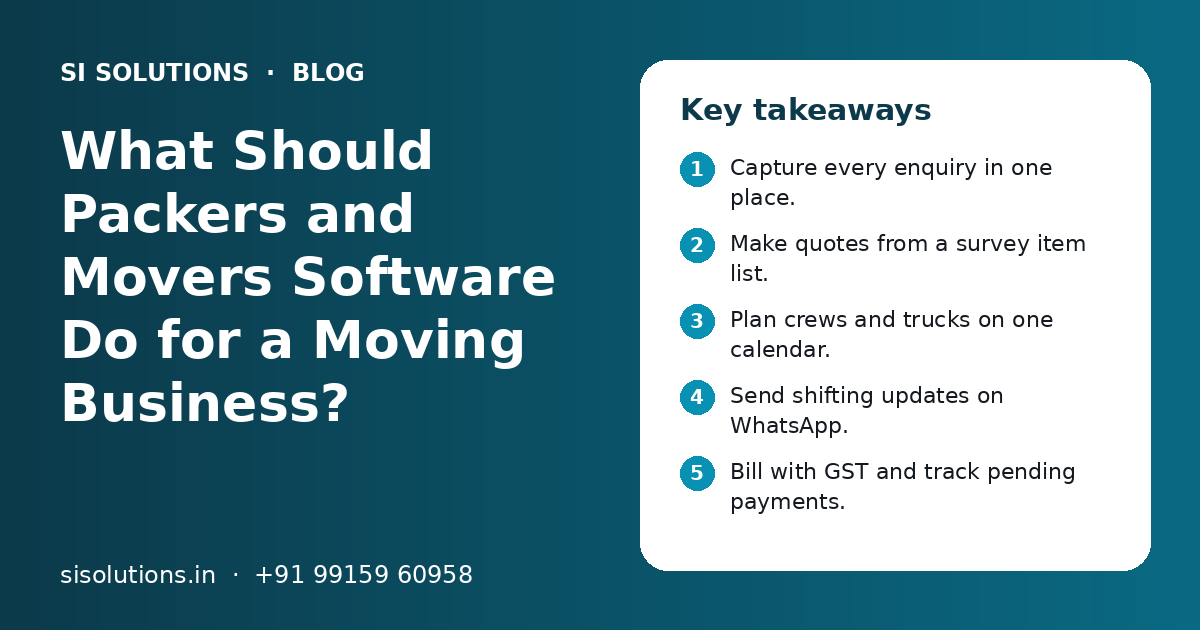
- Capture every enquiry in one place.
- Make quotes from a survey item list.
- Plan crews and trucks on one calendar.
- Send shifting updates on WhatsApp.
- Bill with GST and track pending payments.
- Record damage claims with photos.
Why do packers and movers need special software?
Packers and movers need special software because one job passes through many steps and people: enquiry, survey, quote, booking, packing, loading, transit, delivery, billing and sometimes a claim. General billing or CRM tools cover only a part of this.
A household shift in the same city is planned very differently from an office move or an intercity car transport. Each job needs a date, a crew, the right truck, packing material and a clear price. The customer calls many times to ask where the goods are. Missing one step can mean an angry customer or a lost job.
Our industry specific IT solutions page explains how we adapt ready software to a trade. This guide looks at the needs of relocation and shifting businesses.
What problems do moving companies face without software?
Without software, moving companies lose enquiries, send slow or wrong quotes, double-book trucks and crews, give unclear updates to customers and struggle to collect balance payments. Most of these come from paper, memory and scattered chats.
- Enquiries from calls, the website and listing portals are not followed up
- Survey notes stay on paper and the quote misses items
- Two jobs are given the same truck or the same team leader
- Customers keep calling to ask where their goods are
- Packing material use is not known per job
- Balance payments after delivery are forgotten
- Damage complaints are handled on the phone with no record
Each of these costs money or reputation. In this trade, reviews and word of mouth matter a lot, so a missed update or a slow claim can hurt future bookings.
What features should software for packers and movers have?
Software for packers and movers should cover leads, surveys, quotes, bookings, scheduling, tracking, billing, payments, WhatsApp updates, claims and reports. The table shows what each feature does.
| Feature | What it does | Why it matters |
|---|---|---|
| Lead capture | Brings enquiries from calls, website forms and portals into one list | No enquiry is missed |
| Survey module | Records rooms, items, floors, lift and access on a phone | Quotes are based on real volume |
| Quotation maker | Builds a quote from items, distance, packing and services | Fast and consistent quotes |
| Booking and advance | Confirms the job and records the advance | Clear job start and payment record |
| Crew and truck calendar | Shows which team and vehicle is on which job | No double booking |
| Job status tracking | Packed, loaded, in transit, delivered | Fewer calls from customers |
| GST billing | Creates invoices with GST and payment status | Clean accounts and filing data |
| WhatsApp updates | Sends quote, booking, status and invoice messages | Customers stay informed |
| Claims register | Records damage complaints, photos and outcome | Fair and quick claim handling |
| Reports | Leads, conversion, jobs, dues and claims | Owner sees the business on one screen |
You may not need every feature on day one. A small local mover can start with leads, quotes, scheduling and billing, and add claims and reports later.
How should the software handle enquiries and surveys?
The software should log every enquiry with source, move date, from and to locations and move type, then book a physical or video survey and record the item list on a phone. The quote is then built from that list.
Most enquiries come by phone, the website, Google listings and moving portals. Many leads ask several movers at once, so speed matters. A lead management software setup can assign each enquiry to a sales person and remind them to call back.
- 1
Log the enquiry
Record name, phone, move date, pickup and drop locations, move type and lead source.
- 2
Book the survey
Fix a time for a home visit or a video call survey, and send a WhatsApp confirmation.
- 3
Record the item list
The surveyor notes rooms, furniture, appliances, fragile items, floor, lift and parking access in the app.
- 4
Add photos and notes
Photos of large or costly items help the packing team and support any later claim.
- 5
Send for quotation
The survey moves to the quote stage with all details, so nothing is typed twice.
How do quotes and bookings work in moving software?
The software builds a quote from the survey items, distance, vehicle type, packing material, labour and extra services, and sends it as a PDF on WhatsApp or email. When the customer agrees, the quote becomes a booking with an advance.
Your rate rules stay in the system, so every sales person quotes the same way. You can add options like insurance cover, car transport, storage, dismantling and fitting of furniture, or AC and TV installation help.
What a clear moving quote should show
- Pickup and drop address and move date
- Item list or volume, and vehicle type
- Packing, loading, transport and unloading charges
- Optional services listed separately
- GST shown clearly
- Advance amount and balance payment terms
- Cancellation and date change terms
- Validity of the quote
After booking, collect the advance by UPI or a payment link. Our payment gateway solution explains how links and auto-reconciliation work. Track every quote, so you can follow up on those not yet confirmed. A CRM solution shows how many quotes turned into bookings.
Need help with your project?
Talk to the SI Solutions team. Free first call, simple advice, clear quote.
How should you schedule crews and vehicles?
Plan crews and vehicles on one shared calendar that shows each job, its team leader, helpers, truck and packing material. The software should warn you if a truck or team leader is already booked.
Peak dates like month ends, weekends and festival seasons are busy for movers. On those days, a clash on the calendar can leave a customer waiting at home with nobody arriving. A daily job sheet for each team helps everyone know where to go.
| What to plan | What the software records | Who uses it |
|---|---|---|
| Team | Team leader, packers and helpers for each job | Operations head |
| Vehicle | Truck or tempo, driver and size | Fleet in-charge |
| Material | Boxes, bubble wrap, tape and other packing items | Store person |
| Timing | Reporting time, loading time and expected delivery | Team leader and customer |
| Site notes | Floor, lift, parking and society rules | Team leader |
Team leaders can use a phone app to mark arrival, start, loading done and delivery done, with photos. Our field sales tracking app works on the same idea of check-ins and location updates for staff on the move.
How can customers track their shifting and get WhatsApp updates?
The software can send WhatsApp messages at each stage: booking confirmed, team on the way, packing done, loaded, in transit, reached city and delivered. For intercity moves, it can also share a tracking link if your vehicles have GPS.
Most customer calls in a moving business are simple status questions. Automatic updates cut these calls and build trust. Use an official WhatsApp Business account and approved message templates, so messages come from your business number and not from a staff member's personal phone.
- Quote shared, with PDF
- Booking confirmed, with date and advance received
- Team details shared a day before
- Packing and loading done, with item count
- In transit, with expected delivery date
- Delivered, with invoice and feedback link
Our WhatsApp marketing solution explains templates, opt-in and how to send updates from an official business number.
How should GST billing and payments work?
The software should create a GST invoice for each job, record the advance and balance, and show pending payments by customer. Corporate clients may need monthly invoices and statements.
Household customers usually pay an advance at booking and the balance at delivery. Corporate and office moves may be on credit with a purchase order. The software should handle both. Check the correct GST treatment for your services with your CA, since it can depend on how the service is set up and billed.
Household moves
- Advance at booking by UPI or payment link
- Balance collected on delivery day
- Invoice and receipt sent on WhatsApp
Corporate and office moves
- Purchase order from the client before the move
- Invoice with client GSTIN after the job
- Credit period and follow-up for payment
- Monthly statement of all jobs
If you also run a warehouse for storage, the software should bill monthly storage charges and track items stored per customer. A wider ERP solution for small business can help if you run several branches with their own trucks and staff.
How should a moving business handle damage claims?
Record every damage complaint in the software with the job number, item, photos, the packing list and the outcome. Reply within a fixed time and close the claim with a written note to the customer.
- 1
Log the claim
Note the job, item, type of damage and photos sent by the customer.
- 2
Check records
Compare with survey photos, the packing list and the delivery note signed by the customer.
- 3
Decide
Repair, replace, pay as per terms, or forward to the insurer if the customer took cover.
- 4
Close and learn
Inform the customer in writing and note the cause, such as weak packing or rough loading.
A helpdesk ticketing solution gives each claim a ticket number and a time limit, so no claim is forgotten. Survey photos and signed delivery notes kept in one place make claims fair for both sides.
How do you choose and set up software for packers and movers?
Ask for a demo using your own real jobs, check the phone app for surveyors and team leaders, test WhatsApp updates and billing, then set up in stages: rates, staff, vehicles, open jobs and training.
Questions to ask before you buy
- Can it bring in leads from our website, calls and portals?
- Does the survey app work on a phone, even with weak internet?
- Can we set our own rate rules for quotes?
- Does it warn about truck or crew clashes?
- Can it send WhatsApp updates from our business number?
- Does it make GST invoices and show pending payments?
- Who owns the data, and how is it backed up?
- What support do we get during peak season?
Our post on ready-made vs custom software helps you decide between a ready tool and a tailored system. Start with leads, quotes and scheduling, then add billing, tracking and claims once the team is comfortable.
Cost depends on the number of users and branches, the modules you need, the phone app, WhatsApp setup, GPS links, data to move and support level. You get a clear quote after a free call. SI Solutions is backed by our parent team, Shivah Web Tech, with 11+ years of experience and 500+ projects, from our office in Mohali, Punjab. To talk about software for your moving business, book a free call.
Frequently Asked Questions
Can a small packers and movers business use a normal CRM?
A normal CRM can handle leads and follow-ups, which is a good start. But it may not have surveys, item lists, quote rules, crew and truck scheduling or claim records. Many small movers start with a CRM and add these parts as they grow. Check in a demo whether the tool can be shaped to your moving process.
Can moving software make quotes from a video survey?
Yes. The surveyor can join a video call with the customer, walk through each room and fill the item list in the app. The quote is then built from that list. Video surveys save travel time for local and intercity moves. For large homes and office moves, a physical visit is still useful.
How does software help reduce calls from shifting customers?
Most calls are status questions. When the software sends WhatsApp updates at each stage, such as team assigned, packing done, loaded, in transit and delivered, customers know what is happening without calling. Team leaders update the status from a phone app, and messages go out from your business number.
Is GPS tracking needed in packers and movers software?
Not always. Local moves often need only stage updates from the team leader. GPS tracking is useful for intercity moves and car transport, where customers want to know where the truck is. If your vehicles already have GPS devices, the software can share a link or show the location on the job screen.
Can the software handle both household and office moves?
Good software can. Household moves usually need surveys, quotes, advance payment and balance on delivery. Office moves often need a purchase order, a site visit, a weekend move plan, asset labels and monthly or credit billing. Check that the software lets you use different job types with their own steps and billing rules.
How long does it take to start using packers and movers software?
A small mover can often start within a few weeks. The main work is setting rate rules, adding staff and vehicles, entering open jobs and training sales staff, surveyors and team leaders. Larger companies with branches, warehouses and corporate clients need more time for setup and testing.
Should packers and movers choose cloud or offline software?
Cloud software suits most movers because surveyors, team leaders and the office all need the same data from different places. It also allows phone apps and WhatsApp updates. Choose a system that keeps working with weak internet on the phone app and syncs when the network is back. Keep a regular data backup either way.