Quick answer
What should a small business look for in online appointment booking software?
Online appointment booking software for small business lets customers pick a free slot, confirm it and get reminders without calling you. Look for a simple booking link, WhatsApp or SMS reminders, UPI or advance payment, calendar sync, staff-wise slots, easy rescheduling and clear reports. Check data export, support and Indian payment options before you choose.
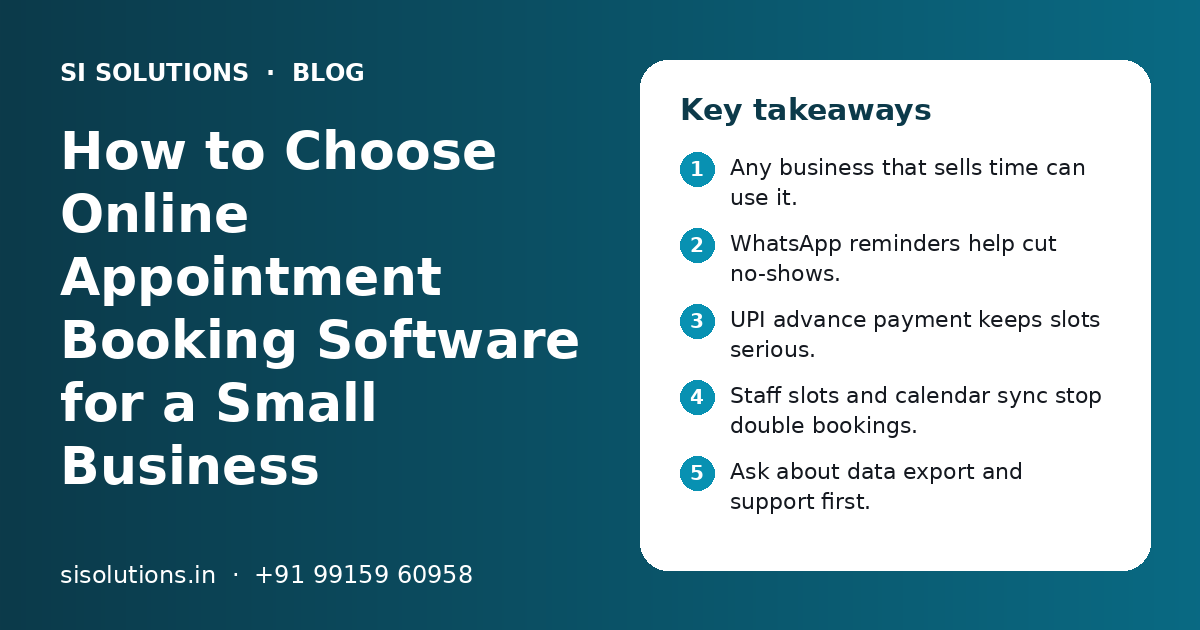
Key takeaways
- Any business that sells time can use it.
- WhatsApp reminders help cut no-shows.
- UPI advance payment keeps slots serious.
- Staff slots and calendar sync stop double bookings.
- Ask about data export and support first.
- Cost depends on features, users and channels.
What is online appointment booking software?
Online appointment booking software is a tool that shows your free time slots online and lets customers book, pay and get reminders on their own. It replaces the diary, the phone call and the back-and-forth on WhatsApp.
Customers usually book from a link. You can share that link on WhatsApp, Instagram, your Google Business Profile or your website. Your staff see all bookings, including walk-ins and phone bookings, in one calendar.
Our online appointment booking system page explains how we set this up as a ready solution. This guide focuses on how to decide and choose.
Which small businesses need online booking software?
Any small business whose income depends on filled time slots can use booking software. Clinics, salons, consultants, coaching centres and repair services are common examples.
| Business | What customers book | Feature that matters most |
|---|---|---|
| Clinics and dental practices | Doctor visits, follow-ups, procedures | Doctor-wise slots, follow-up reminders, patient notes |
| Salons and spas | Haircuts, treatments, packages | Staff choice, service length, WhatsApp reminders |
| Consultants, CAs and lawyers | Meetings and calls | Advance fee, video call link, calendar sync |
| Coaching and tuition | Demo classes, counselling sessions | Batch limits, parent reminders |
| Repair and home services | Technician visits | Address, area check, time window booking |
| Fitness trainers and studios | Personal sessions, classes | Class capacity, package balance |
Signs you need it now
- Staff spend a large part of the day answering calls about free slots
- Two customers turn up for the same slot
- Customers book and do not turn up
- You miss booking requests after closing time
- Only one person knows the full schedule
- You cannot see which services or staff are busiest
If you are a clinic and also need prescriptions and patient records, look at clinic management software, which includes booking along with the rest of the clinic's work.
Which features must booking software have?
The must-have features are a simple booking page, staff and service slots, WhatsApp or SMS reminders, calendar sync, UPI or advance payment, easy rescheduling and basic reports. Other features can wait until you need them.
WhatsApp and SMS reminders
Most Indian customers read WhatsApp quickly. The software should send a confirmation at booking and a reminder before the visit, with a simple way to confirm, cancel or move the slot. SMS is a useful backup. Messages should follow WhatsApp's business rules and go only to customers who agreed to get them. Our WhatsApp marketing solution covers templates and opt-ins.
UPI and advance payment
Taking a small advance or full payment at booking makes customers more likely to turn up. Look for UPI, cards and net banking through a trusted payment gateway, with clear refund rules. See our page on payment gateway integration for how this works.
Calendar sync and staff slots
Each staff member should have their own working hours, breaks, leave and services. Two-way sync with Google Calendar or Outlook stops a personal meeting from clashing with a booking.
| Feature | Must have or nice to have | Why |
|---|---|---|
| Booking link and page | Must have | Customers can book any time without calling |
| Staff and service slots | Must have | Right person, right length, no double booking |
| WhatsApp or SMS reminders | Must have | Fewer no-shows and fewer reminder calls |
| Reschedule and cancel by customer | Must have | Frees slots early so others can book |
| UPI or advance payment | Must have for most | Commits the customer to the slot |
| Calendar sync | Must have for consultants | Stops clashes with other meetings |
| Reports | Must have | Shows busy hours, no-shows and top services |
| Packages and memberships | Nice to have | Useful for salons, gyms and therapy |
| Multi-branch view | Nice to have | Needed only if you run more than one location |
| Indian language messages | Nice to have | Helps customers who prefer Hindi or Punjabi |
Ready-made booking app, website booking or custom software: which is right?
Most small businesses should start with ready-made booking software or a booking system added to their own website. Custom software makes sense only when your booking rules are unusual or it must connect deeply with your other systems.
| Option | Good for | Watch out for |
|---|---|---|
| Free or basic booking tool | One person, few bookings, simple services | Limited reminders, branding and payment options |
| Paid ready-made software | Most clinics, salons and consultants | Monthly fees, per-staff limits, data export rules |
| Booking on your own website | Businesses that want their brand and SEO | Needs setup and upkeep by a web team |
| Custom booking system | Unusual rules, many branches, deep integrations | Longer build time and ongoing support needs |
If you are unsure, start simple and grow. A booking page on your own site, built as part of our web solutions, keeps customers on your brand. Our post on ready-made vs custom software explains the wider choice.
Need help with your project?
Talk to the SI Solutions team. Free first call, simple advice, clear quote.
What questions should you ask before choosing booking software?
Ask about Indian payments, WhatsApp reminders, staff limits, data ownership, support hours and what happens if you leave. The answers show whether the software fits your business for the long term.
- Does it take UPI and give a clear record of advance payments and refunds?
- Can it send WhatsApp reminders, and who pays for the messages?
- How many staff, services and branches are included?
- Can customers reschedule or cancel on their own, and can I set the rules?
- Does it sync both ways with Google Calendar or Outlook?
- Can I export all customer and booking data at any time?
- Where is the data stored and who can see it?
- Does it connect with my CRM, billing or website?
- What support do I get, in which hours and in which language?
- What does setup include, and will you train my staff?
For a longer list of buying questions, see our post on questions to ask before buying business software.
How do you set up online appointment booking step by step?
Write down your services and rules first, then set up staff and slots, connect payments and reminders, test with real people and share the booking link. A simple setup for one location can be done quickly once your details are ready.
- 1
List services and rules
Write each service with its length, buffer time, price note, advance rule and which staff can do it.
- 2
Add staff and hours
Enter working days, hours, breaks and leave for each person or room.
- 3
Connect payments
Set up UPI and card payment through a payment gateway, with refund and cancellation rules.
- 4
Set reminders
Choose WhatsApp or SMS templates for confirmation, reminder and follow-up, and the timing of each.
- 5
Sync calendars
Link Google Calendar or Outlook for staff who also have outside meetings.
- 6
Test with your team
Make test bookings, cancel, reschedule and pay, so staff learn the flow before customers use it.
- 7
Share the link
Add the booking link to WhatsApp Business, Instagram, Google Business Profile and your website.
- 8
Review after a month
Check no-shows, busy hours and customer feedback, and adjust slots and reminders.
Keep walk-ins and phone bookings in the same calendar. If staff keep a separate diary, double bookings will return.
What affects the cost of appointment booking software?
Cost depends on the number of staff and branches, the features you need, message volume, payment setup and whether you choose ready-made or custom software. You get a clear quote after a free call.
- Number of staff, rooms or branches using the calendar
- Features such as packages, memberships, multi-branch reports and Indian language messages
- WhatsApp and SMS message volume, as message charges are often separate
- Payment gateway setup and per-transaction charges
- Booking page on your own website, with your design and domain
- Links to your CRM, billing, accounting or clinic software
- Data migration from an old tool or spreadsheet
- Training, support hours and yearly maintenance
Compare the full yearly cost, not only the monthly fee. A cheap plan can cost more if reminders, extra staff or exports are charged separately. Linking bookings to your CRM solutions or billing is often where custom work is needed, and our software integration solutions page explains how that works.
What mistakes should you avoid with booking software?
The common mistakes are choosing on price alone, skipping staff training, keeping a second diary, sending too many messages and not checking data export rules.
Do this
- Write your booking rules before you pick a tool
- Test with your real services and staff
- Train every person who takes bookings
- Keep one calendar for online, phone and walk-in bookings
Avoid this
- Choosing only because a tool is free
- Sending many reminders that annoy customers
- Taking advance payments without a clear refund rule
- Signing up without knowing how to export your data
If you want help choosing or setting up booking software, contact SI Solutions. Our parent team, Shivah Web Tech, has 11+ years of experience and 500+ projects, and works Monday to Friday, 9:30 to 6:30 IST.
Frequently Asked Questions
Is online appointment booking software worth it for a small business?
Yes, if your income depends on filled time slots. Booking software saves staff time on calls, takes bookings after closing hours, stops double bookings and sends reminders that help reduce no-shows. A one-person business with very few bookings may manage with a simple tool, but most clinics, salons and consultants gain from proper software.
Can customers book appointments through WhatsApp?
Yes. You can share your booking link on WhatsApp Business, so customers open it, pick a slot and pay. Some setups also let customers book inside a WhatsApp chat flow. Confirmations and reminders can then go back to them on WhatsApp, as long as they agreed to receive messages from your business.
Can I take UPI advance payment while customers book?
Yes. Most booking software can connect to a payment gateway that accepts UPI, cards and net banking. You can ask for a small advance or the full amount at booking. Set clear cancellation and refund rules and show them on the booking page, so customers know what happens if they cancel or miss the slot.
Which is better, free booking software or paid software?
Free tools suit a single person with simple services and few bookings. Paid software suits most small businesses because it adds staff-wise slots, WhatsApp reminders, UPI payments, reports and support. Check what the free plan leaves out, such as reminders or branding, and compare the full yearly cost of each option.
Will booking software work for walk-in customers too?
Yes. Staff can add walk-in and phone bookings to the same calendar, so everyone sees the true picture of free and busy slots. This is important. If walk-ins are kept in a separate diary, online customers may book a slot that is already taken, and double bookings will return.
Can booking software sync with Google Calendar?
Most good booking software offers two-way sync with Google Calendar and often Outlook. Bookings appear in the staff member's calendar, and personal meetings block those times on the booking page. This is very useful for consultants, doctors and trainers who also have meetings outside the booking system.
How long does it take to set up online appointment booking?
A simple setup for one location can be done quickly once you have your services, staff hours and rules written down. Payment gateway approval and WhatsApp message templates can take extra time. Multi-branch setups, website booking pages and links to CRM or billing software take longer, depending on what needs to connect.
Is customer data safe in booking software?
It depends on the provider. Ask where data is stored, who can access it, whether staff have separate logins with limited rights, and how backups work. Clinics should take extra care with patient details. Make sure you can export all your data at any time, so you are not locked in if you switch.