Quick answer
What should software for hardware stores include?
Software for hardware stores should include fast GST billing, support for many units like pieces, boxes, metres and kilos, item variants by size and brand, rate lists for retail and contractor customers, credit tracking with payment reminders, quotations, delivery challans, godown stock and reorder alerts. It should also back up data every day.
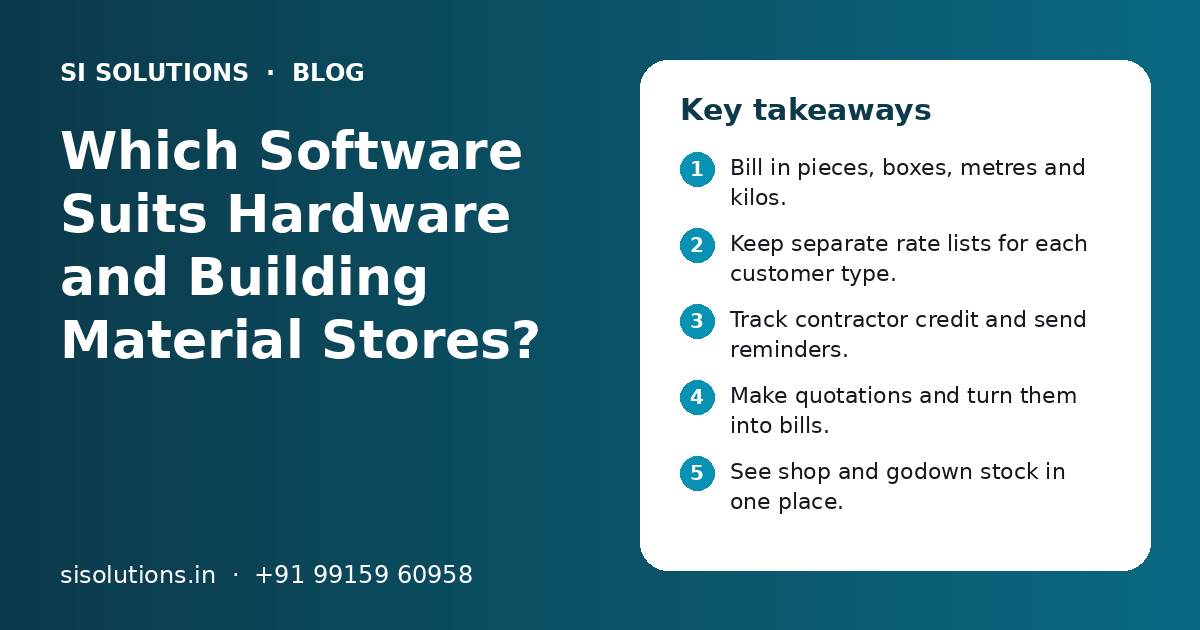
Key takeaways
- Bill in pieces, boxes, metres and kilos.
- Keep separate rate lists for each customer type.
- Track contractor credit and send reminders.
- Make quotations and turn them into bills.
- See shop and godown stock in one place.
- Back up your data every day.
Why do hardware stores need special software?
Hardware stores need special software because they sell a very large number of items in different units, sizes and brands, at different rates to different customers, often on credit. General billing apps are not built for this mix.
A hardware, sanitary or building material shop is not like a grocery store. One pipe comes in many sizes and grades. Wire is sold by the metre from a coil, nails by the kilo, tiles by the box and taps by the piece. Rates change often for items like cement and steel. Contractors, plumbers and electricians buy on credit and pay later.
Our page on POS billing software covers the basics of counter billing. This guide looks at the extra needs of a hardware or building material business.
What problems do hardware shops face without the right software?
Without the right software, hardware shops face slow billing, wrong rates, unclear credit balances, stock that does not match the shelf and lost quotations. Most of these come from depending on memory and paper.
- Only the owner or one senior person knows the right rate for each customer
- Staff take time to find the exact size or brand at billing
- Credit given to contractors is written in a diary and payments are missed
- Stock in the godown and the shop is not known until someone checks
- Quotations are written by hand and not followed up
- Day-end cash and UPI totals do not match the sales
Each problem costs money or time every day. Good software for hardware stores puts rates, stock and credit in one system so that any trained staff member can bill correctly.
What features should hardware store billing software have?
Hardware store billing software should have GST billing, multiple units, item variants, customer rate lists, credit tracking, quotations, delivery challans, godown stock, reorder alerts and reports. The table shows what each feature does.
| Feature | What it does | Why it matters for a hardware shop |
|---|---|---|
| GST billing | Bills with HSN code, GST rate and tax split | Correct bills and easier GST filing |
| Multiple units | Buy in one unit and sell in another, such as box and piece | Stock stays correct when you sell loose |
| Item variants | One item with many sizes, grades, colours or brands | Faster search and cleaner item list |
| Customer rate lists | Different rates for retail, contractor and dealer customers | Staff bill the right rate without asking the owner |
| Credit and ledger | Tracks what each customer owes and pays | Fewer missed payments |
| Quotations | Makes an estimate and converts it to a bill later | Quick replies to project enquiries |
| Delivery challan | Records goods sent to a site before or with the bill | Clear proof of what was delivered |
| Godown stock | Shows stock by shop and godown | Know where an item is before promising it |
| Reorder alerts | Lists items below a set level | Fewer lost sales |
| Reports | Sales, margin, credit ageing, slow-moving stock | Better buying and collection decisions |
How does the software handle many units, sizes and brands?
Good software lets you set a base unit for each item and link other units to it, such as one box equals a fixed number of pieces. It also groups sizes and brands under one item so staff can find them quickly.
Unit handling is where many general billing apps fail in a hardware shop. If you buy screws by the box but sell by the piece, the software must reduce stock in pieces and still show you boxes left. The same applies to wire sold by the metre from a coil, or nails sold by the kilo from a bag.
- 1
Choose a base unit for each item
Pick the smallest unit you sell, such as piece, metre or kilo.
- 2
Link purchase and sale units
Set how many base units are in a box, coil, bag or bundle, so purchases and sales both update stock correctly.
- 3
Group variants under one item
Create one item, such as a PVC pipe, with size, grade and brand as variants instead of hundreds of separate items.
- 4
Set rates for each variant and unit
Enter rates for each size and for each unit, so staff do not work out loose rates by hand.
- 5
Test with real bills
Bill a few common orders, such as a plumbing job or an electrical fitting job, and check that stock moves as expected.
How should a hardware shop manage contractor credit?
Record every credit sale against the customer's account, set a credit limit and due period for each regular buyer, check the credit ageing report every week and send polite reminders on WhatsApp. Stop new credit when a limit is crossed.
Credit to contractors, plumbers, electricians and builders is normal in this trade. It also ties up a lot of cash. A diary or a register makes it hard to see who owes what, for how long and for which site.
- Create an account for each regular contractor and builder
- Record the site or project name on credit bills where useful
- Set a credit limit and a due period for each account
- Record every payment, including UPI and part payments, on the same day
- Check the credit ageing report every week
- Send the account statement on WhatsApp before the due date
- Ask for approval from the owner before billing over the limit
Our WhatsApp marketing solution explains how to send statements and reminders from an official business number. For larger dealers with many contractor accounts, a lead management software setup can also track new project enquiries until they turn into orders.
Need help with your project?
Talk to the SI Solutions team. Free first call, simple advice, clear quote.
How do quotations and site deliveries work in the software?
You make a quotation with items, quantities and rates, share it as a PDF on WhatsApp, and convert it into a bill when the customer confirms. For site deliveries, you create a delivery challan, send the goods and bill against it.
Builders and contractors often ask for a rate for a full list of items for a project. Writing this by hand takes time and is easy to lose. In software, the quotation stays in the system, so you can follow up and see how many quotations turned into orders.
- Enter the customer and the item list with quantities.
- Pick the rate list for that customer type and adjust if needed.
- Share the quotation as a PDF on WhatsApp or email.
- Follow up on open quotations every few days.
- Convert the quotation into an order or bill when confirmed.
- Make a delivery challan for goods sent to the site.
- Match challans with bills and payments at month end.
If your business also supplies to smaller shops, a dealer portal lets them see rates and place orders without calling you every time.
How should you track stock in the shop and godown?
Track stock by location, so the software shows how much of each item is in the shop and how much is in the godown. Record every transfer between them, and count a few racks every week instead of one big count a year.
| Item type | How to manage it | How often to review |
|---|---|---|
| Fast movers like fittings and fasteners | Set minimum levels and reorder from the alert list | Every month |
| Bulky items like cement, pipes and tiles | Keep most stock in the godown and track transfers | Every week |
| Items with frequent rate changes | Update purchase and sale rates when the supplier changes them | Each time rates change |
| Seasonal items like coolers or paints before festivals | Raise levels before the season and lower after | Before each season |
| Slow movers and old models | Keep low stock and plan to clear old stock | Every quarter |
Our inventory management solution page explains reorder levels, stock counts and how to fix stock mismatch in more detail.
Billing software or ERP: which does a hardware store need?
A single hardware shop usually needs good billing and stock software. A larger building material dealer with many branches, godowns, a sales team and purchase approvals may need an ERP. Start with what fits today and make sure you can grow later.
Billing and stock software
- Quick to set up and learn
- Covers billing, stock, credit and quotations
- Suits one shop with a godown
- Lower running effort for a small team
ERP
- Covers purchase, sales, stock, accounts and staff in one system
- Suits dealers with branches and a sales team
- Takes longer to set up and train
- Needs clear processes before you start
Read our comparison of billing software vs ERP, or see our ERP solution for small business if you are already running more than one location.
How do you choose and set up software for a hardware store?
Ask for a demo using your own items, units and rate lists, test billing speed at a busy time, check support and backup, then set up in stages: item list, opening stock, rates, customer balances and staff training.
Questions to ask before you buy
- Can it buy in one unit and sell in another?
- Can it group sizes and brands under one item?
- Can it keep separate rate lists for each customer type?
- Does it track credit with limits and ageing reports?
- Can it make quotations and delivery challans?
- Does it show shop and godown stock separately?
- Does billing work if the internet goes down?
- How are daily backups done?
- Can you export your data if you change software later?
Our post on questions to ask before buying business software has a fuller list.
A simple setup plan
Clean and import your item list first. Count opening stock rack by rack, in the shop and the godown. Enter rate lists and opening credit balances for each customer. Train counter staff on billing, returns and day-end closing. Run old and new systems side by side for a short time, then switch fully. Set up a daily data backup from day one. Our guide on how to switch to new business software explains each stage.
What affects the cost of hardware store software?
Cost depends on the number of counters and users, branches and godowns, cloud or offline setup, the size of your item list, how much old data must be moved, extra features like WhatsApp and quotations, hardware such as barcode printers and the support level you want. You get a clear quote after a free call.
SI Solutions is backed by our parent team, Shivah Web Tech, with 11+ years of experience and 500+ projects, from our office in Mohali, Punjab. We set up ready software for shops and trading businesses across India. See our industry specific IT solutions, or book a free call to talk about your hardware store.
Frequently Asked Questions
Can I use normal billing software for my hardware shop?
You can start with it, but most hardware shops soon need more. Normal billing software may not handle buying in boxes and selling in pieces, sizes and brands of one item, different rates for contractors and retail buyers, or credit ageing. Check these needs in a demo before you buy, using your own items and real bills.
Does hardware store software help with GST filing?
Good software makes GST bills with the correct HSN code and tax rate and gives sales and purchase reports your accountant can use for filing. Some systems export data in the format your CA prefers. It does not replace your accountant, but it makes filing faster and reduces errors.
How can software help me recover credit from contractors?
It records every credit bill and payment against each contractor, shows how long each amount has been pending and can send the account statement on WhatsApp. You can also set credit limits so staff ask the owner before billing over the limit. Clear records make payment talks easier and more polite.
Is cloud or offline software better for a hardware store?
Offline software keeps billing going when the internet is down. Cloud software lets the owner check sales, stock and credit from a phone and is easier to back up. Many shops choose a system that bills offline and syncs to the cloud. Either way, keep a daily backup.
How long does it take to start using new software in a hardware shop?
A small shop can often start within a few weeks. The main work is cleaning the item list, setting units and variants, entering rates and counting opening stock in the shop and godown. Larger dealers with more items, branches and credit accounts need more time for setup and training.
Can the software handle price changes for cement and steel?
Yes. Good software lets you update purchase and sale rates for an item or a group of items quickly. It keeps the rate on old bills unchanged and uses the new rate from the time you update it. Update rates as soon as your supplier changes them to avoid billing at an old rate.