Quick answer
Do I need a CRM if I already use WhatsApp Business?
You may not need a CRM if you use WhatsApp Business alone and get a small number of enquiries. You do need a CRM when leads come from many sources, more than one person replies, follow-ups get missed or you cannot see sales numbers. Then a CRM linked to WhatsApp keeps every lead, follow-up and result in one place.
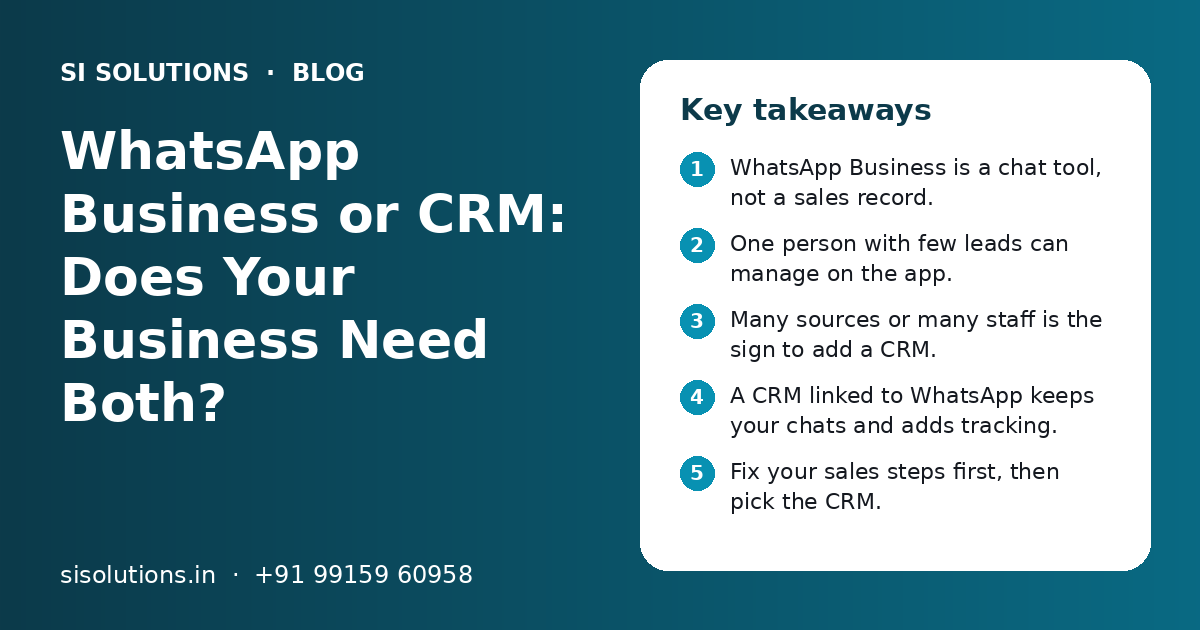
Key takeaways
- WhatsApp Business is a chat tool, not a sales record.
- One person with few leads can manage on the app.
- Many sources or many staff is the sign to add a CRM.
- A CRM linked to WhatsApp keeps your chats and adds tracking.
- Fix your sales steps first, then pick the CRM.
- Lead data should belong to the business, not one phone.
Do you need a CRM if you use WhatsApp Business?
Not always. If one or two people handle a small number of chats, WhatsApp Business can be enough. Once leads, staff or follow-ups grow, you need a CRM to track them, and the CRM can work together with WhatsApp.
The question is not WhatsApp or CRM. The question is what each tool is good at. WhatsApp is where you talk to customers. A CRM is where you keep a record of every lead, what was promised, who owns it and what happens next. Most growing businesses need both, linked together.
If you are not sure which side you are on, read the signs in the next sections. They are simple and you can check them in a few minutes.
What can WhatsApp Business do well on its own?
WhatsApp Business is very good for fast, personal conversations with customers. Its built-in tools help a small team look professional and reply quickly.
- Business profile with address, hours and website
- Catalogue to share products or services with photos
- Quick replies for common answers like price lists or directions
- Greeting message for new chats and away message after hours
- Labels such as 'new lead', 'quote sent' or 'paid' to sort chats
- Short links and QR codes so customers can start a chat
For a small shop, a clinic with one front desk or a single owner who handles all sales, this is often enough. Customers in India already use WhatsApp every day, so they reply faster there than on email. That is a real strength, and a CRM should keep it, not replace it.
Where does WhatsApp Business fall short for sales?
WhatsApp Business is built for chatting, not for managing a sales process. It does not give you a full lead record, a clear pipeline, follow-up reminders for each lead or reports for the owner.
| Need | WhatsApp Business app | CRM linked to WhatsApp |
|---|---|---|
| Talk to customers | Yes, very well | Yes, through the linked number |
| Leads from website, ads, calls | No, only WhatsApp chats | Yes, all sources in one list |
| Assign a lead to a salesperson | No clear owner per chat | Yes, with auto assignment rules |
| Follow-up reminders | No reminder per lead | Yes, with due dates and alerts |
| Deal stages and pipeline | Only basic labels | Yes, clear stages for every lead |
| Notes, quotes and history | Lost in long chat threads | Saved on the lead record |
| Owner reports | No sales reports | Yes, by source, staff and stage |
| Staff leaves the business | Chats may stay on their phone | Data stays with the business |
The biggest risk is the last row. When sales live on personal phones, a salesperson who leaves can take your customer history with them. A CRM keeps that history in a system the business controls.
What are the signs you have outgrown WhatsApp Business?
You have outgrown WhatsApp Business when you start losing track of leads, depending on memory for follow-ups or asking staff for updates every day. If three or more of the signs below are true, it is time to add a CRM.
- Leads come from website forms, Google ads, Facebook, Instagram and calls, not only WhatsApp
- More than one person replies to customers
- Staff share one phone or ask each other 'who replied to this person?'
- Follow-ups are missed because nobody remembers them
- You cannot say how many leads came in this month or from where
- Old customers are not contacted again for repeat sales
- Quotes and notes are buried in long chats
- A salesperson left and their leads went cold
- You want to send updates to many customers but fear getting blocked
None of these problems means WhatsApp is a bad tool. They mean your sales have grown past what a chat app was built for. A lead management solution or a full CRM fixes the tracking side while your team keeps chatting on WhatsApp.
How does a CRM work together with WhatsApp?
A CRM connects to your business WhatsApp number, so chats, messages and replies are saved against each lead. Your staff still talk to customers on WhatsApp, but every lead also has a record, an owner and a next step in the CRM.
- 1
Lead comes in
An enquiry arrives from WhatsApp, a website form, an ad or a call. The CRM creates a lead record with name, number and source.
- 2
Lead is assigned
The CRM gives the lead to the right salesperson based on rules such as area, product or turn.
- 3
First reply goes out
The salesperson replies on WhatsApp, or the CRM sends an approved welcome message right away.
- 4
Follow-up is set
The salesperson sets the next call or message date. The CRM reminds them on time.
- 5
Stage is updated
As the lead moves from new to quote sent to won or lost, the stage is changed in the CRM.
- 6
Owner sees reports
The owner checks leads by source, follow-ups missed and deals closed, without asking anyone.
For messages at scale, team inboxes on one number and chatbots, the CRM usually connects through the official WhatsApp Business API rather than the free app. Our WhatsApp marketing solution covers that set-up, and our integration solutions connect it to the CRM and other tools you use.
Need help with your project?
Talk to the SI Solutions team. Free first call, simple advice, clear quote.
WhatsApp Business app, WhatsApp API or CRM: which do you need?
Use the free app for small, simple chat volumes. Add the WhatsApp Business API when many staff or large message volumes are involved. Add a CRM when you need to track leads and follow-ups. Many businesses end up with the API and a CRM working together.
| Your situation | Suggested set-up |
|---|---|
| One person, few enquiries a day, mostly WhatsApp | WhatsApp Business app with labels and quick replies |
| Small team, leads from many sources | CRM plus WhatsApp Business app or API |
| Many staff replying from one number | WhatsApp Business API with a shared inbox, linked to a CRM |
| Regular updates or offers to many opted-in customers | WhatsApp Business API with approved templates |
| Sales team in the field plus office staff | CRM with mobile access and WhatsApp linked |
What should a CRM with WhatsApp include for an Indian small business?
Look for lead capture from all sources, WhatsApp messaging inside the CRM, simple stages, follow-up reminders, mobile access and clear reports. Extra features matter less than daily ease of use.
- Leads from website, ads, calls and WhatsApp saved in one list
- Send and see WhatsApp messages from the lead record
- Auto assignment of new leads to staff
- Follow-up reminders with due dates
- Simple deal stages that match how you sell
- Mobile app or mobile-friendly screens for field staff
- Reports by lead source, salesperson and stage
- Role-based access, so staff see only what they need
- Data export, so your data is never locked in
- Options for GST quotes or links to your billing software, if needed
Ask the vendor to show these features with your own example, not a ready demo. A CRM solution set up around your real sales steps is easier for staff to use than a big tool with many unused screens.
Which businesses need a CRM along with WhatsApp the most?
Businesses with many enquiries, long follow-up cycles or several staff handling leads gain the most from adding a CRM to WhatsApp. The basic idea is the same in every industry: no lead should be forgotten.
| Business type | Why WhatsApp alone is not enough |
|---|---|
| Real estate | Many leads from portals and ads, site visits and long follow-ups |
| Clinics and diagnostic centres | Appointment requests, reminders and repeat visits |
| Coaching institutes | Admission season enquiries, demo classes and fee follow-ups |
| Manufacturers and distributors | Dealer orders, quotes and repeat purchases |
| Travel and immigration consultants | Many questions before a booking or file, across weeks |
| Service businesses | Site visits, quotes and service reminders |
For property businesses, a real estate CRM solution adds site visit tracking and project-wise stages. For clinics and service businesses, an appointment booking solution can send confirmations and reminders on WhatsApp.
What mistakes should you avoid when adding a CRM to WhatsApp?
The common mistakes are buying a CRM before fixing your sales steps, keeping two systems with different data and letting staff skip the CRM. Each one makes the CRM look useless even when the tool is fine.
- Buying a CRM without writing down your sales stages first.
- Letting staff keep leads on personal WhatsApp numbers.
- Allowing new leads to reach staff outside the CRM.
- Sending bulk messages to people who never opted in.
- Adding too many fields and stages on day one.
- Skipping training for each role.
- Not checking CRM reports as the owner every week.
The simplest rule is this: the chat is the conversation, the CRM is the record. When leads reach staff only through the CRM and the owner checks it every week, the team starts using it. You can also add simple automation solutions later, such as a welcome message for every new lead or an alert when a follow-up is overdue.
How does SI Solutions help you move from WhatsApp to a CRM?
We start with a free call to understand how leads come in and how your team sells today. Then we set up a CRM linked to WhatsApp, import your old leads, train your team and support you after go-live.
SI Solutions is backed by our parent team, Shivah Web Tech, with 11+ years of experience and 500+ projects. The parent team is a Meta Business Partner and Google Partner. Cost depends on the number of users, lead sources to connect, WhatsApp API needs, custom fields and reports, and how much old data needs to move. You get a clear quote after a free call. Contact us to book one.
Frequently Asked Questions
Is WhatsApp Business enough for a small business?
It can be, if one or two people handle a small number of enquiries and most leads come through WhatsApp. The app gives you a profile, catalogue, quick replies and labels. Once leads come from many sources, several staff reply or follow-ups get missed, a CRM linked to WhatsApp becomes the better choice.
Can a CRM send WhatsApp messages?
Yes. Many CRMs can connect to a business WhatsApp number, usually through the official WhatsApp Business API. Staff can send and see messages from the lead record, and the CRM can send approved messages automatically, such as a welcome message for a new lead or a reminder before a meeting.
What is the difference between WhatsApp Business labels and a CRM pipeline?
Labels are simple tags you add to chats, such as new lead or paid. They help you sort chats on one phone. A CRM pipeline shows every lead from all sources in clear stages, with an owner, notes, next follow-up date and reports. Labels sort chats, while a pipeline manages the whole sales process.
Will my team stop using WhatsApp if we start a CRM?
No. Your team keeps talking to customers on WhatsApp, because that is where customers reply fastest. The CRM sits behind it and keeps the record of each lead, the stage and the next step. When WhatsApp is linked to the CRM, chats are saved against the lead, so nothing is lost.
Do I need the WhatsApp Business API to use a CRM?
Not always. You can start a CRM and keep using the WhatsApp Business app, with staff updating the CRM by hand. The API is needed when you want messages sent from inside the CRM, many staff on one number, chatbots or messages at scale. It needs Meta business verification and approved templates.
How do I move my WhatsApp leads into a CRM?
Start by exporting the contacts and lead details you already have, from your phone, Excel sheets or old registers. Clean them, remove duplicates and mark the stage of each lead. The CRM team then imports them so your sales history is not lost. From then on, every new lead should enter the CRM first.
What affects the cost of a CRM with WhatsApp integration?
Cost depends on the number of users, how many lead sources you connect, whether you need the WhatsApp Business API, custom fields and reports, mobile access, and how much old data must be imported. Meta also charges for some WhatsApp messages, separate from the software. You get a clear quote after a free call.
How long does it take to set up a CRM with WhatsApp?
It depends on your sales process, the number of users and sources, and how clean your old data is. If you need the WhatsApp Business API, Meta verification and template approval add some waiting time that depends on Meta. After a free call, we share a clear plan with the steps and expected time.