Quick answer
What software does a coaching institute need?
Software for coaching institutes should handle enquiries and admissions, batches and timetables, student attendance, fee plans with WhatsApp reminders and UPI collection, tests and results, and parent updates. It should work on mobile, keep data safe and be easy for front desk staff. Start with enquiries, batches and fees, then add tests and the parent app.
Key takeaways
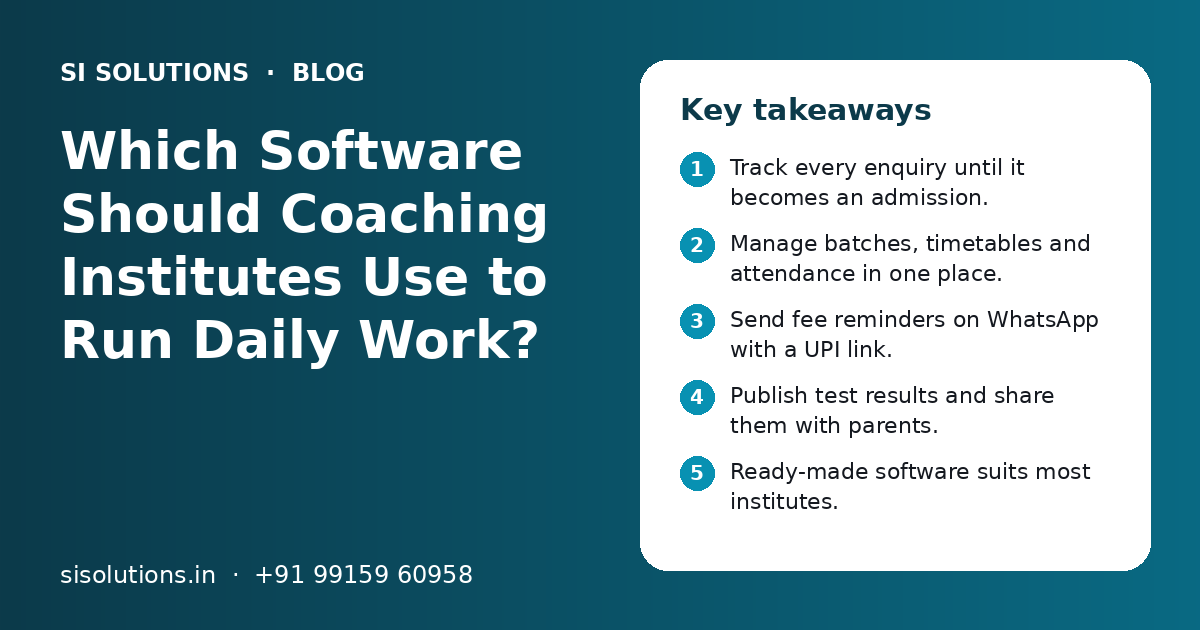
- Track every enquiry until it becomes an admission.
- Manage batches, timetables and attendance in one place.
- Send fee reminders on WhatsApp with a UPI link.
- Publish test results and share them with parents.
- Ready-made software suits most institutes.
- Ask about setup, data import and support before you buy.
What is software for coaching institutes?
Software for coaching institutes is one system that stores student, batch and fee data and runs daily office work from it: enquiries, admissions, attendance, fees, tests and parent messages. It replaces registers, scattered sheets and personal phones.
Coaching institutes are different from schools. Students join in the middle of the year. Batches change often. Fees are paid in instalments. Many students take more than one course. Good software is built around batches and courses, not fixed classes and sections.
This applies to many kinds of institutes: entrance exam coaching, board exam tuition, language classes, computer courses, competitive exam centres and skill training. The modules are mostly the same. Only the setup changes.
Which problems does coaching institute software solve?
It solves lost enquiries, late fees, unclear attendance, slow result sharing and the many calls from parents asking for updates. It also removes dependence on one office person who knows everything.
| Daily problem | What usually happens | How software helps |
|---|---|---|
| Enquiries | Calls and walk-ins written on paper, no follow-up | Every enquiry saved with source, course and next follow-up date |
| Batches | Seat counts and timings kept in one person's sheet | Live view of seats, timings and faculty per batch |
| Attendance | Paper registers, parents not told about absence | Mobile attendance with an absence message to parents |
| Fees | Instalments tracked by hand, reminders by phone call | Due list, WhatsApp reminders and UPI payment link |
| Tests | Marks typed into Excel, results shared late | Marks entry, rank lists and report cards in one place |
| Parents | Many calls to the front desk for simple updates | Parent app or messages with attendance, fees and results |
If you also run a school, our school management software page explains how the same base works with classes and sections.
How should coaching software handle enquiries and admissions?
It should save every enquiry from calls, walk-ins, your website and social media in one list, set a follow-up date and show which ones became admissions. At admission, the student's details should move across without typing them again.
Enquiries are the start of all income for an institute. Many are lost because the person who took the call forgot to call back. A simple enquiry list with owners and dates fixes this.
- 1
Capture the enquiry
Save name, phone, course of interest, class or exam, source and preferred batch time.
- 2
Assign a counsellor
Give each enquiry one owner who will follow up.
- 3
Set the next follow-up
Add a date for the next call, demo class or visit. The system shows due follow-ups each morning.
- 4
Book a demo class
Note the demo batch and date, and send a WhatsApp reminder the day before.
- 5
Convert to admission
Pick the course, batch and fee plan. Student details move across from the enquiry.
- 6
Close lost enquiries with a reason
Mark why the student did not join, such as timing or distance, so you can learn from it.
Enquiries from website forms and ads can flow straight into the list. Our lead management software page shows how follow-ups and sources are tracked for small teams.
How do batches, timetables and attendance work?
You create batches for each course with timing, faculty, room and seat limit, then mark attendance per batch on a phone or tablet. Parents can get an automatic message when a student is absent.
Batches and timetables
Each batch has a course, subject, start date, days, time, faculty and room. The software should warn you when a room or teacher is booked twice. It should also let a student move from one batch to another without losing their fee or attendance history.
Attendance
Faculty or front desk staff mark attendance on a phone in less than a minute per batch. Some institutes use QR codes or biometric devices. Ask the vendor which methods they support and whether the data comes into the same system.
- Seat limit and waiting list for each batch
- Clash warning for rooms and faculty
- Batch transfer with history kept
- Attendance on mobile, even with weak internet
- Absence message to parents on WhatsApp or SMS
- Monthly attendance report per student and batch
How do WhatsApp fee reminders and UPI fee collection work?
You set a fee plan for each course, such as full payment or instalments. The software shows who is due, sends a polite WhatsApp reminder with a UPI or payment link, and records the payment with a receipt when it is paid.
Fee follow-up takes a lot of front desk time. Calling each parent is slow and awkward. A planned reminder before and after the due date is clearer and more polite.
| Step | What happens |
|---|---|
| Fee plan | Course fee split into instalments with due dates, plus any discount or scholarship |
| Reminder before due date | Short WhatsApp message with amount, due date and payment link |
| Payment | Parent pays by UPI, card or net banking through a payment link |
| Receipt | Receipt created on its own and shared on WhatsApp or email, with GST details if you charge GST |
| Follow-up | Second reminder if still unpaid; list for the office to call |
| Reports | Daily collection, pending dues and dues by batch |
Use an official WhatsApp Business number and approved message templates, not a staff member's personal phone. See our WhatsApp marketing solution for how reminders and a shared inbox are set up, and our payment gateway integration page for collecting fees online.
Need help with your project?
Talk to the SI Solutions team. Free first call, simple advice, clear quote.
How should tests, results and parent updates be managed?
Create tests by batch, enter marks or run online tests, and publish results with ranks and simple report cards. Parents then see attendance, fees and results on an app or through messages, without calling the office.
Tests and results
Most institutes run regular tests. The software should let faculty enter marks quickly, calculate totals and ranks, and show each student's progress over time. Some institutes also want online tests with question banks. Ask if this is included or a separate tool.
Parent updates
Parents mainly want four things: did my child attend, how did they score, what fees are due and what is coming up. A parent app or a weekly WhatsApp summary covers these. Messages in Hindi, Punjabi or other Indian languages help many parents.
Parent app: what it does well
- Full view of attendance, fees and results
- Notices and timetables in one place
- Fewer calls to the front desk
Parent app: what to watch
- Parents must install it and log in
- Some parents may never open it
- Needs updates for Android and iPhone
Many institutes use both: WhatsApp for alerts, and an app or web login for full details.
Ready-made vs custom software: which is better for a coaching institute?
Ready-made software set up for your courses suits most coaching institutes. It is faster to start and easier to support. Custom software makes sense only when you have an unusual model, such as many franchise centres with special rules or your own online test platform.
| Point | Ready-made, set up for you | Custom built |
|---|---|---|
| Time to start | Shorter, mostly setup and training | Longer, needs design, build and testing |
| Fit | Covers common coaching needs well | Fits unusual processes exactly |
| Updates | Regular updates from the vendor | Every change needs new work |
| Risk | Lower, already used by others | Higher if the developer leaves |
| Best for | Single or few-centre institutes | Large or unusual multi-centre setups |
A middle path is common: a ready system for daily work, connected to your website, WhatsApp and payment gateway. Read our post on ready-made vs custom software for a deeper comparison.
What questions should you ask a coaching software vendor?
Ask about fit with your courses and batches, mobile use, WhatsApp and UPI support, data import, data safety, training, support hours and how you can export your data if you leave. Clear answers to these matter more than a long feature list.
- Can it handle our courses, batches, instalments and discounts?
- Does it work well on mobile for faculty and the front desk?
- Are WhatsApp reminders and UPI payment links included or extra?
- Can you import our old student and fee data from sheets?
- Where is the data stored, and how often is it backed up?
- Can each staff member have their own login and role?
- What training do you give, and in which languages?
- What are the support hours, and how fast do you reply?
- Can we export all our data if we stop using the software?
- Can we try it with one batch or one centre first?
For more general questions, see our post on questions to ask before buying business software. Data safety matters a lot here, because you hold student and parent details. Our data backup solution page explains simple ways to keep records safe.
How do you set up coaching software step by step?
List your courses, batches and fee plans, clean your student data, set up the system, train staff, run one batch or centre first and then move everyone. Plan the switch before a new session, not in the middle of exams.
- Write down all courses, batches, timings, faculty and fee plans.
- Clean your current student and fee sheets, and remove duplicates.
- Set up the software with your courses, fee rules and message templates.
- Import student data and check a sample by hand.
- Train the front desk, faculty and accounts staff in short sessions.
- Run one batch or one centre for a few weeks.
- Fix issues, then move all batches and stop the old sheets.
Common mistakes include running old registers and new software side by side for too long, skipping training for faculty and sending too many messages to parents. Keep messages useful and short, or parents will stop reading them.
What affects the cost, and how can SI Solutions help?
Cost depends on the number of students and centres, which modules you need, WhatsApp and payment setup, data import, a parent app, hosting and the support level. You get a clear quote after a free call.
SI Solutions offers ready software that we set up for your courses, batches and fee rules, with WhatsApp reminders, UPI collection, tests and parent updates. We can also connect it to your website and enquiry forms. Our parent team, Shivah Web Tech, has 11+ years of experience and 500+ projects, working from Mohali, Punjab. See our industry specific IT solutions, or book a free call to talk about your institute.
Frequently Asked Questions
What is the best software for a small coaching institute in India?
The right choice is a system that fits your courses, batches and fee plans, works on mobile and supports WhatsApp reminders and UPI payment. For a small institute, start with enquiries, batches, attendance and fees. Ask for a demo with your own data before deciding. Ease of use for the front desk matters most.
Can coaching institute software send fee reminders on WhatsApp?
Yes, most good systems can. They use an official WhatsApp Business number and approved message templates to send reminders before and after the due date, often with a UPI or payment link. Check with the vendor whether WhatsApp messaging is included, and who sets up the business number and templates.
Is a mobile app needed for parents?
Not always. Many institutes start with WhatsApp messages for absence alerts, fee reminders and results, because parents already use WhatsApp. A parent app helps when you want parents to see full history, notices and timetables in one place. You can start with messages and add the app later.
Can we move our old Excel student data into the new software?
Usually yes. Most systems can import students, batches and fee records from Excel or Google Sheets. First clean the data by removing duplicates and fixing phone numbers. Then import, and check a sample of records by hand. Good vendors help with this step as part of setup.
Can coaching software run online tests?
Some systems include online tests with question banks, timers and automatic marking. Others only record marks from offline tests. If online tests matter to you, ask the vendor to show this in the demo, and check how it works on phones and with weak internet connections.
How long does it take to start using coaching institute software?
It depends on the number of courses, batches and students, how clean your data is and which modules you choose. A basic setup for enquiries, batches and fees takes less time than a full setup with tests and a parent app. Plan to start before a new session, not during exams.
Is cloud software safe for student and parent data?
It can be safe when set up well. Look for separate logins for each staff member, role-based access, secure hosting, regular backups and a clear way to export your data. Avoid shared passwords. Keeping all records on one office computer with no backup is often a bigger risk.
Can one software manage many coaching centres?
Yes, many systems support more than one centre. Each centre has its own batches, staff and fee collection, while the owner sees combined reports. Check that staff at one centre can see only their own data, and that transfers between centres keep the student's history.